Building Data Pipelines with Dagster: Practical
I am always looking for ways to improve my data pipelines, and Dagster has been really good to me so far. I am definitely planning on using it in the future Of course, I ran into a a few issues. But mostly I was able to get things up and running, without too much trouble, and I see some real value in using Dagster for more pipelines. I have used Airflow in the past, and while it is great too. Dagster just seems easier to use and better at delivering results quickly.
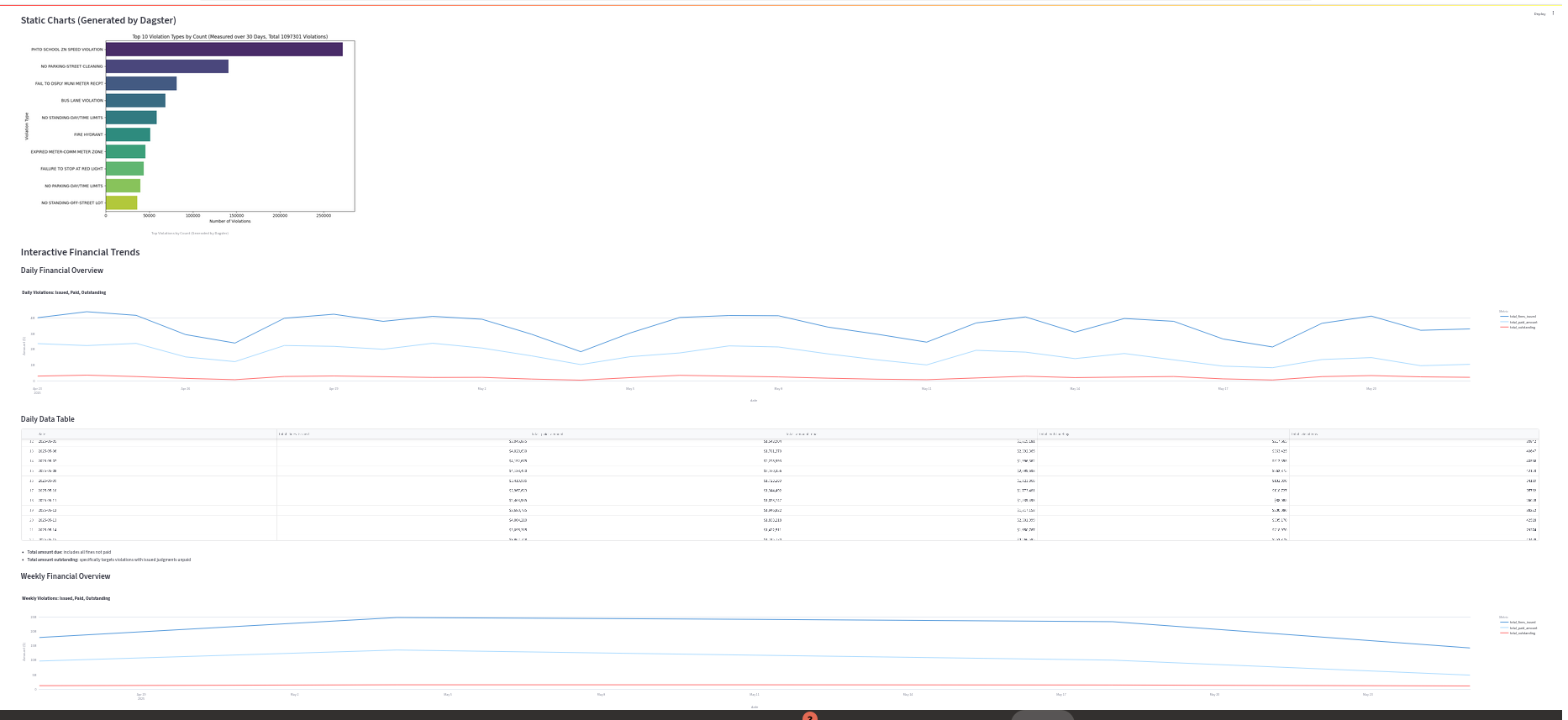
Getting started with any orhestration tool can be difficult and no matter how good your current set up is, trying to retro fit it to an orchestrator is going to be a challenge. Here I built a relatively simple pipeline that pulls data from the NYC Open Data API, processes it, and then visualizes it using both static PNG charts and a dynamic Streamlit dashboard.
Here is an exmple of what the output looks like:
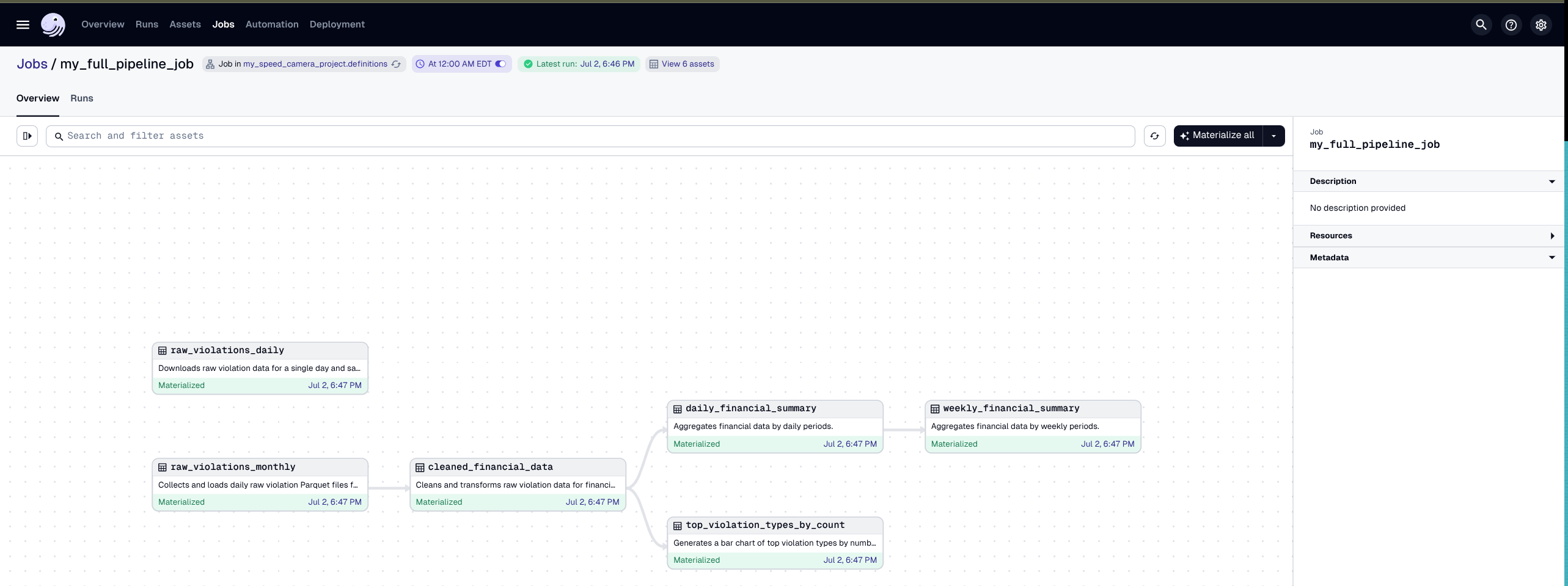
The output from Dagster is no slouch when it comes to visualizations either. Being able to see the orchestration visually and being able to choose to run a single asset is great.
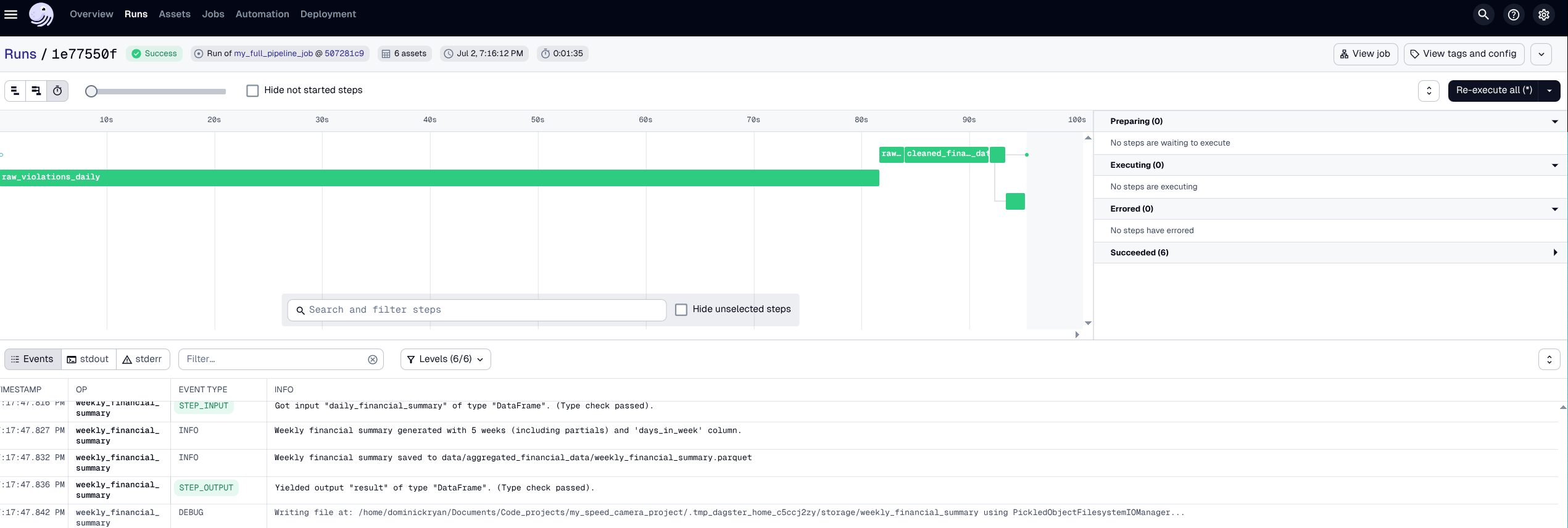
Also the way Dagster displays the logs and allows you to trace back any issues is super helpful. Once you start a job you can move over to the runs tab, or you can follow the link that is generated when you run a job.
If you are interested in getting some ideas for yourself you can follow the README which you to check out directly on the GitHub repo and walks through the process step by step.
It was great to be able to use Dagster’s built-in decorators to define assets and jobs, making the code cleaner and more maintainable. The use of @asset for defining assets and @job for was helpful for organizing the jobs. I did get tripped up from time to time, but the Dagster documentation was really helpful. I also found the Dagster Slack community had a lot of great hints and encouraging advice. Dagster examples tend to be dedicated to helping people with current workload issues especially in the sciences. I love this.
The scheuduling from inside Dagster is also really nice. As well as the logs and the ability to find the origins of errors relatively quickly. I would love to see how other people are using Dagster in their projects. If you have any tips or tricks, please let me know.